Context
Advanced technology, smartphones, and digital banking began changing the game over 20 years ago; however, back then, they were not accessible to everyone.
Today, in our fast-paced world, most people know how to use online banking but they don't want to waste time, everyone's in a rush. Meanwhile, older generations often feel left behind, saying their minds aren't built for the complexity of modern technology.
Details
My role: Product Designer
Duration: 4 weeks
Responsibilities: End-to-end process
Tools
 Figma
Figma
 Adobe
Adobe
 ChatGPT
How can I design a banking experience accessible to everyone?
Simple/Secure
Old Generations
Fast/Modern
New Generations
Inclusive
Everyone
Design Process
Discovery
Market Research & User Interviews, and Competitive Analysis
Iteration
Wireframes & Usability Testings
Solutions
User flows, Hi-fi Design and Prototype
Discovery
During the research phase, I aimed to understand users' pain points with their current banking apps and uncover opportunities.
To achieve this, I conducted surveys and remote interviews with 46 participants, all of whom were current users of various banks.
Said managing multiple accounts and payments across apps was confusing
Felt their current apps lacked personalised financial insights or goal tracking
Wanted faster, clearer feedback during payments and transfers
Mentioned security anxiety, particularly when verifying large transactions
Desired smarter notifications, that informed, not overwhelmed
Users aged 60 and above found the banking apps unintuitive, unclear navigation, and complex steps
To identify opportunities for differentiation, I decided to choose 2 banking apps:
Monzo (digital) and HSBC (traditional)
I analysed them, focusing on usability, features, and emotional tone.
| Criteria | Monzo | HSBC | Opportunity |
|---|---|---|---|
| Usability | Fast, clean interface, but limited customisation | Feature-rich but, cluttered and a bit overwhelmed | Combining simplicity with customisation gives users control without complexity |
| Transparency | Real-time notifications and fee clarity | Complex fee structure, delayed updateds | Offer total transparency with instant feedback and clear summaries |
| Personalization | Strong tone of voice, friendly UX | Generic and corporate tone | Blend professional reliability with warmth human |
| Financial Insights | Basic spending categories only | Advanced reports, but hard to find | Provide actionable powered insights and budgeting tools |
| Security Experience | Seamless biometric login | Multi-step verification fow | Balance security with fluid, one-step authentication |
Based on the competitor analysis, I gained a clear understanding of both effective and ineffective strategies, features, and business approaches.
By aligning these insights with the pain points uncovered during the discovery phase, I was able to build a sharp, focused board that outlined what was needed to start designing a user-centred solution.
| Criteria | Monzo | HSBC | Opportunity |
|---|---|---|---|
| Usability | Fast, clean interface, but limited customisation | Feature-rich but, cluttered and a bit overwhelmed | Combining simplicity with customisation gives users control without complexity |
| Transparency | Real-time notifications and fee clarity | Complex fee structure, delayed updateds | Offer total transparency with instant feedback and clear summaries |
| Personalization | Strong tone of voice, friendly UX | Generic and corporate tone | Blend professional reliability with warmth human |
| Financial Insights | Basic spending categories only | Advanced reports, but hard to find | Provide actionable powered insights and budgeting tools |
| Security Experience | Seamless biometric login | Multi-step verification fow | Balance security with fluid, one-step authentication |
Iteration
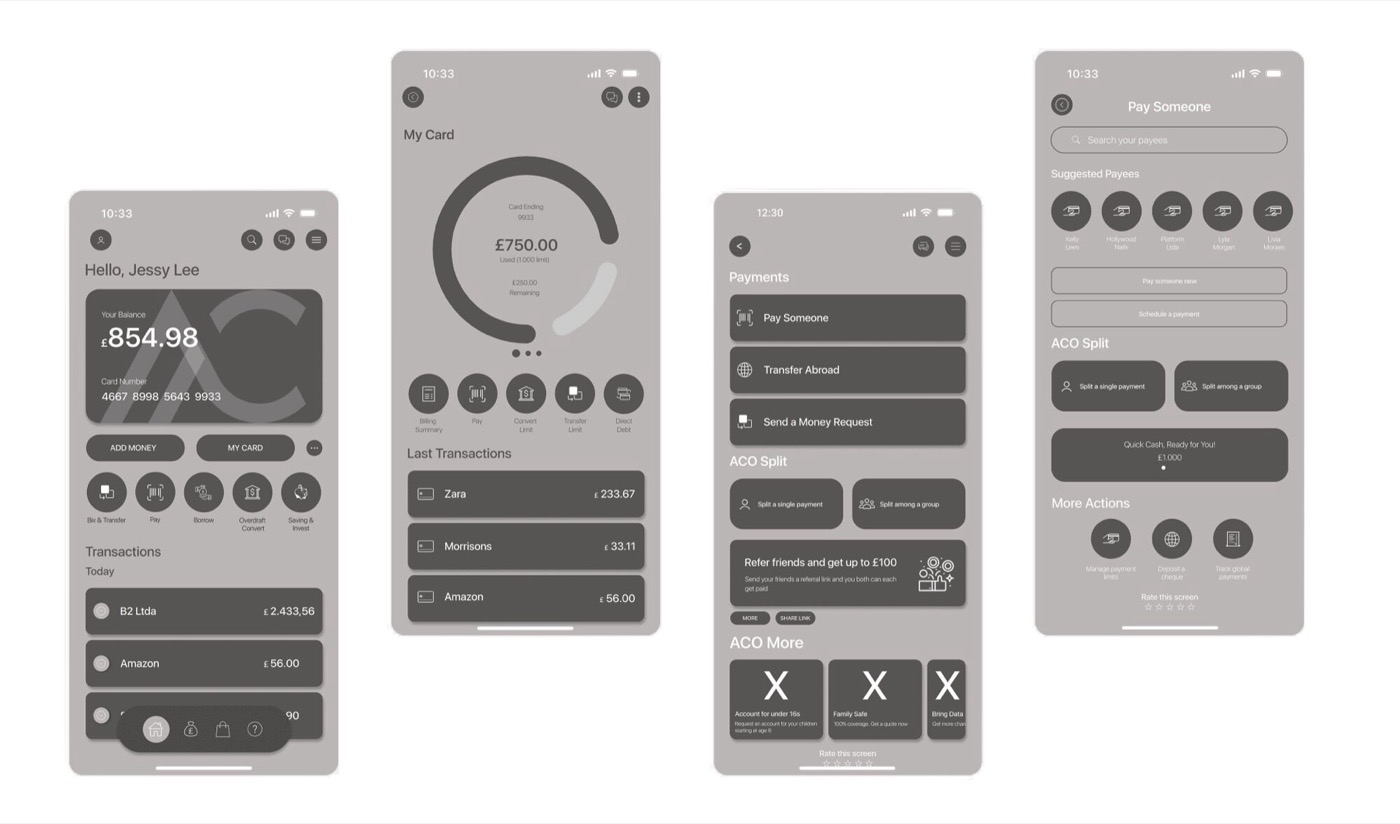
Guerrilla user testing
Usability testing was conducted with 20 participants representing diverse age groups and digital proficiency levels, validating that the wireframes were intuitive for both experienced and first-time users.
Some feedback
- Users over 50 struggled to locate quick-access actions
- The dashboard layout felt too busy at first look
- Users were unsure about security prompts
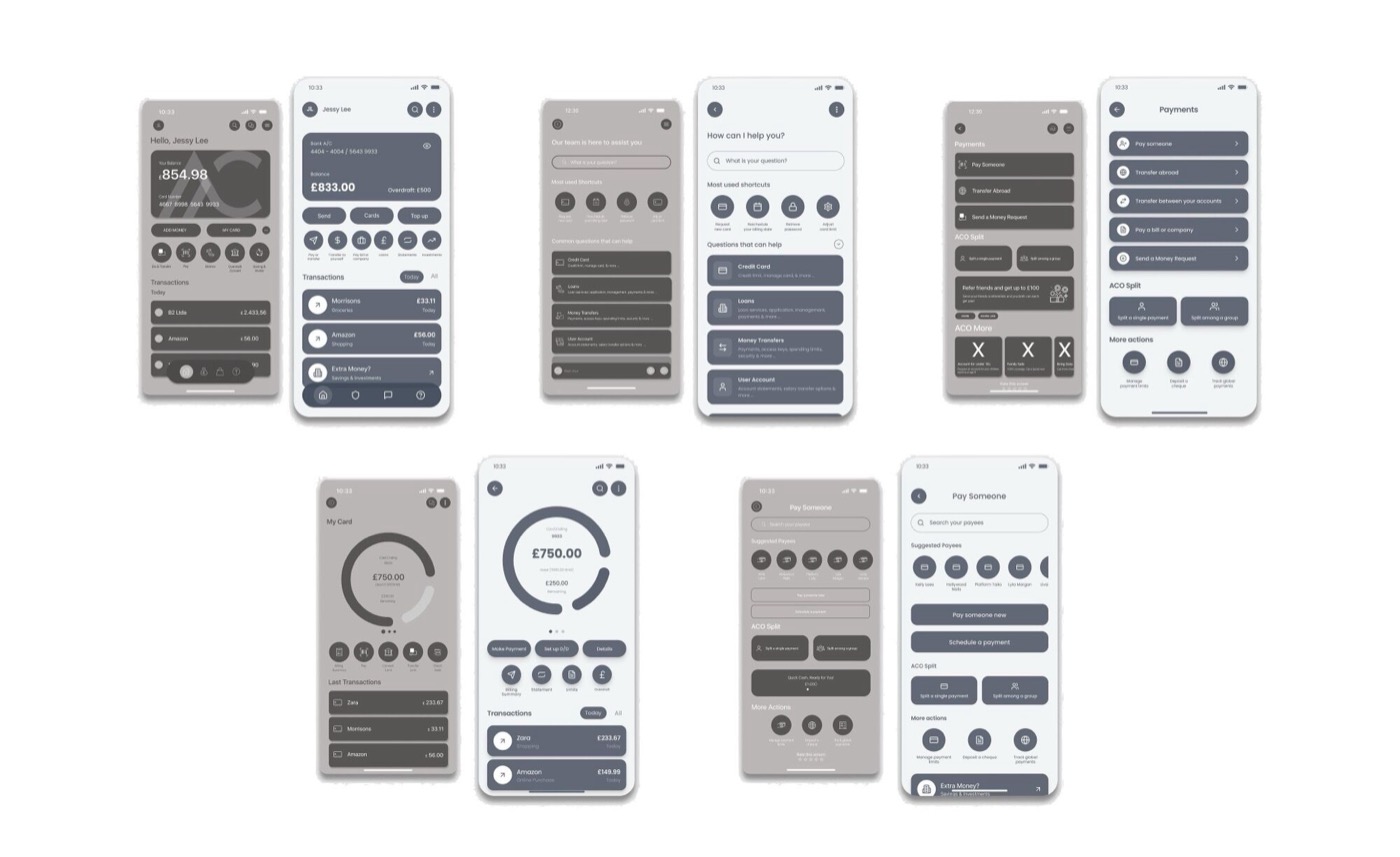
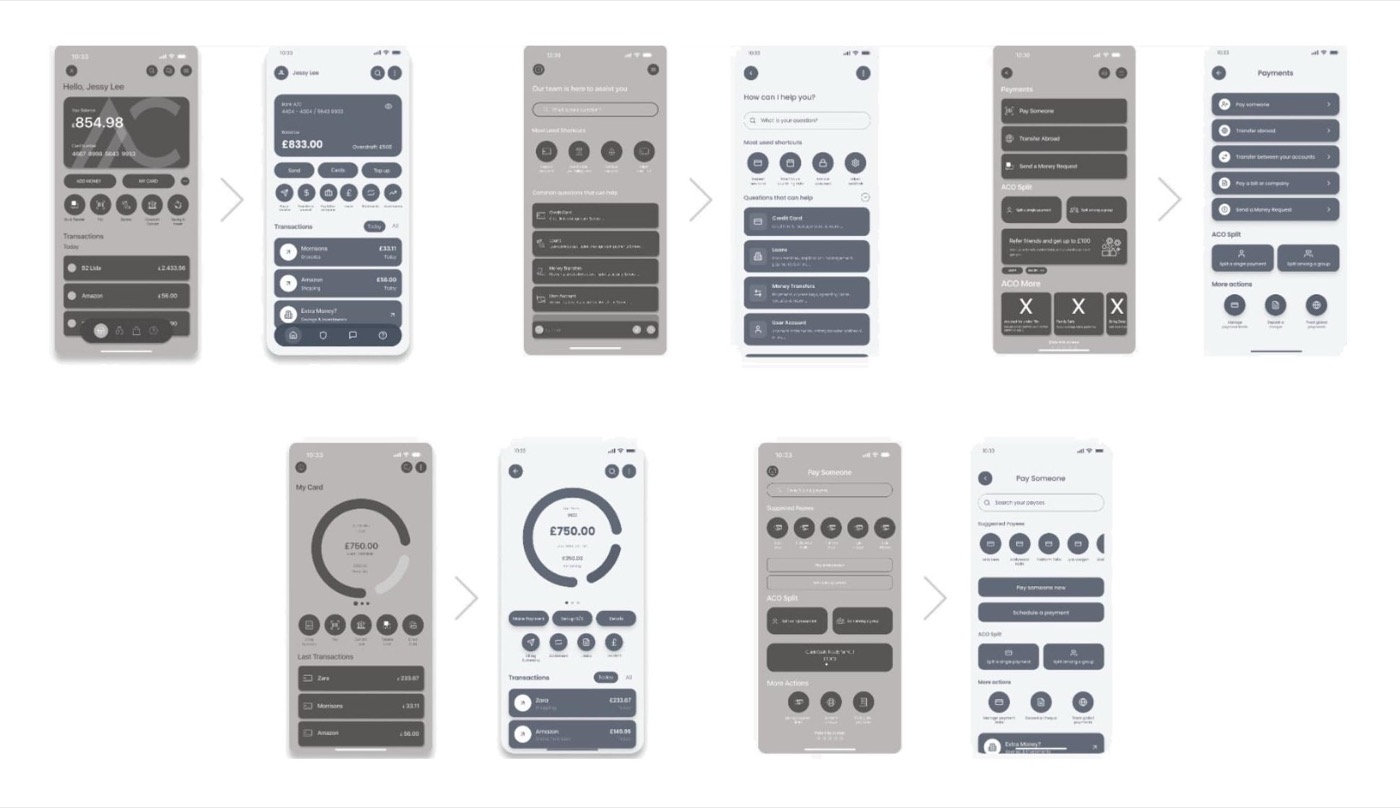
During the iteration phase, the screens were refined based on insights gathered from usability testing. These improvements reflect direct user feedback and aim to enhance clarity, efficiency, and overall user experience.
Solutions & Hi-fi Design
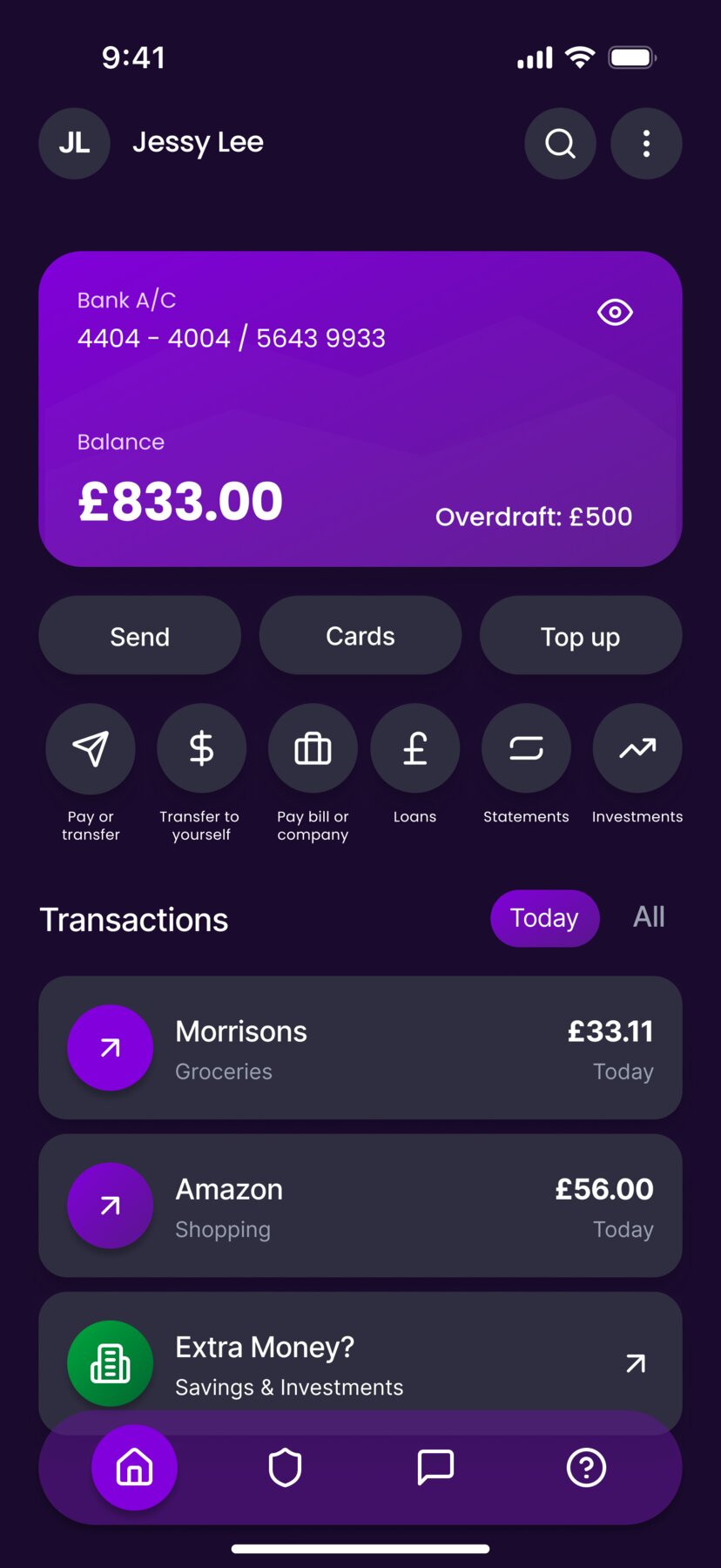
Redesigning the homepage for clarity, speed, and better decision-making
- Clear account overview
- Quick forecast access
- Simplified shortcuts
- Personalised promotions
- Optimised navigation
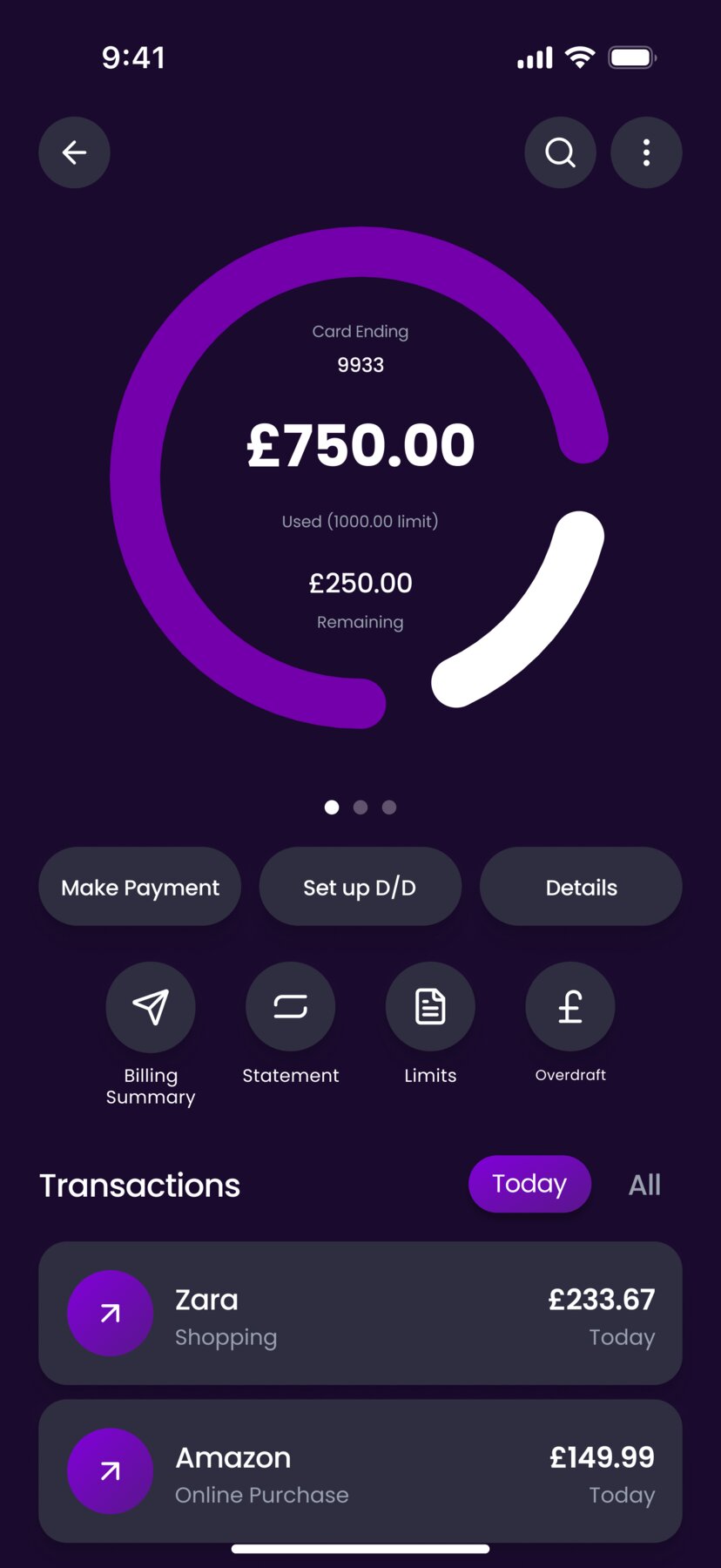
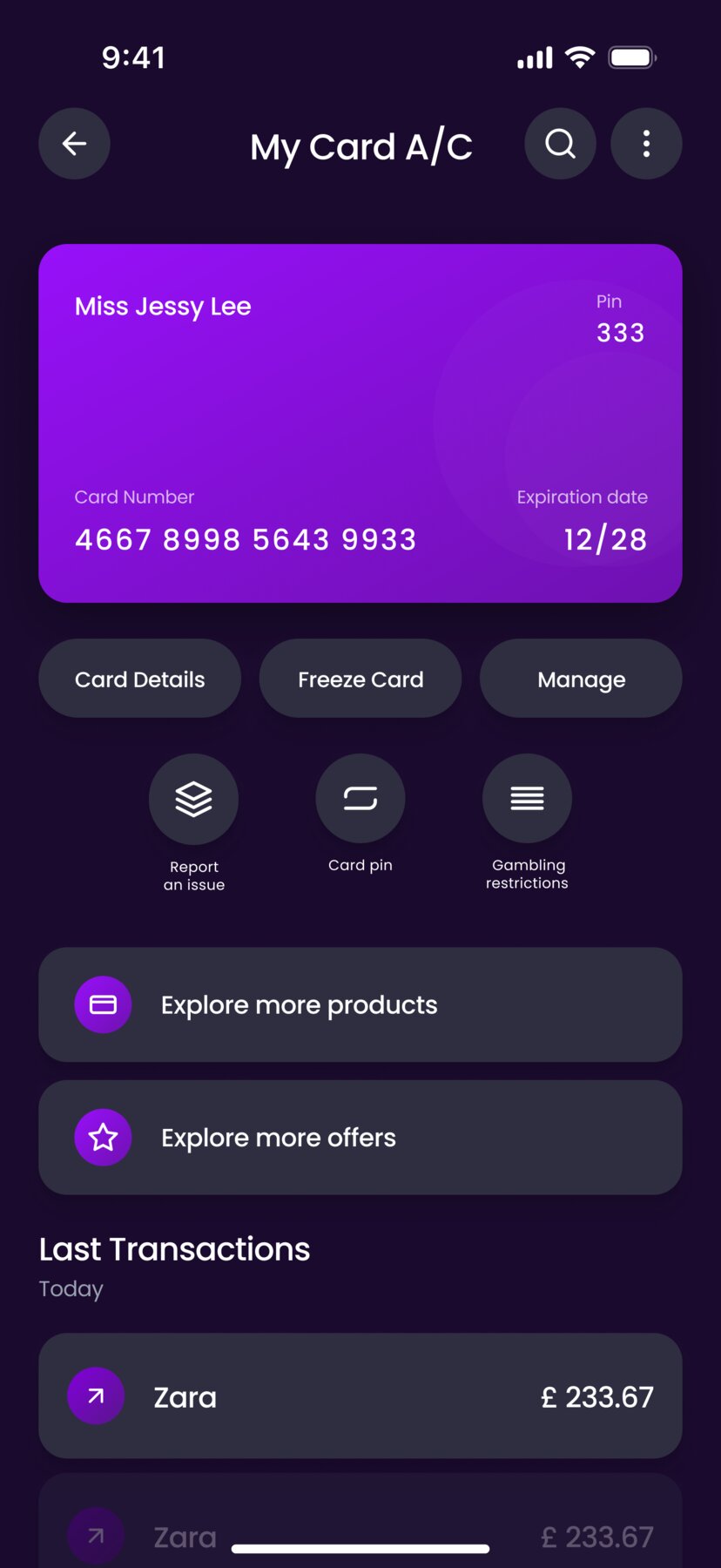
Faster and clearer credit card payments
The "Make a payment" and "Set up a direct debit" buttons were made larger to improve visibility and make key actions easier to find. This change supports quicker payments and helps users take action with more confidence.
Faster access to customer support
The "Request a call" and "Start chat" buttons were added to the first Help screen, allowing users to quickly find answers or contact support without navigating through multiple pages.
Improving visibility and ease of payments
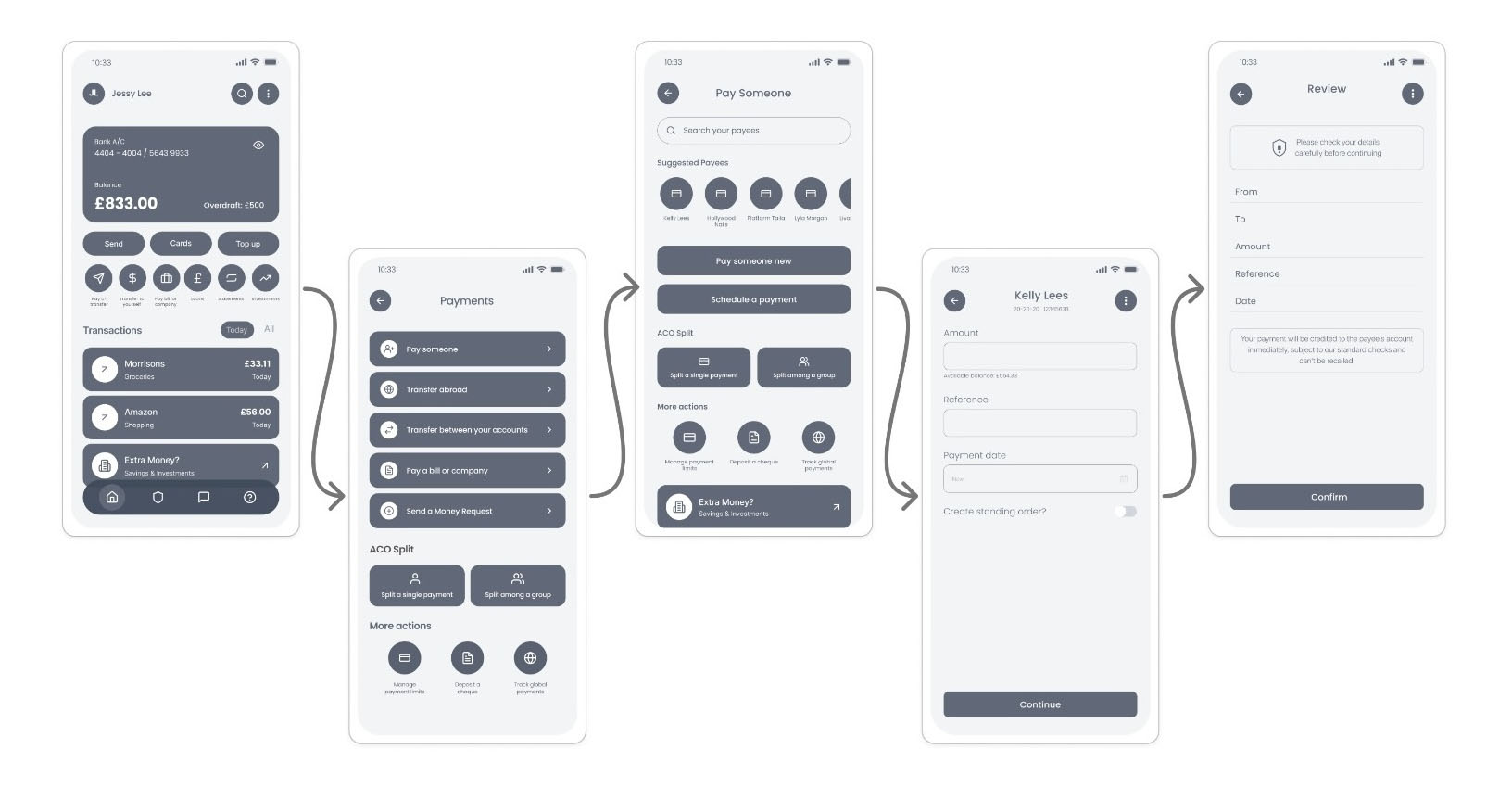
Buttons were optimised and font sizes increased to improve readability and make the "Pay someone" screen easier to navigate.
Consolidating payment actions for faster access
The "Pay a bill or company" and "Send a money request" buttons were added, along with a "More actions" section at the bottom of the screen.
Updating security & fraud screen
Reducing friction and increase user confidence in fraud prevention and account safety.
Reflection
Working on this project on my own helped me understand why it's important to think about rules and limitations early on.
User testing showed me that my first ideas were not always correct and that small improvements can make the experience easier for users.